NSFAS Wallet Withdrawal Process Details Check Online
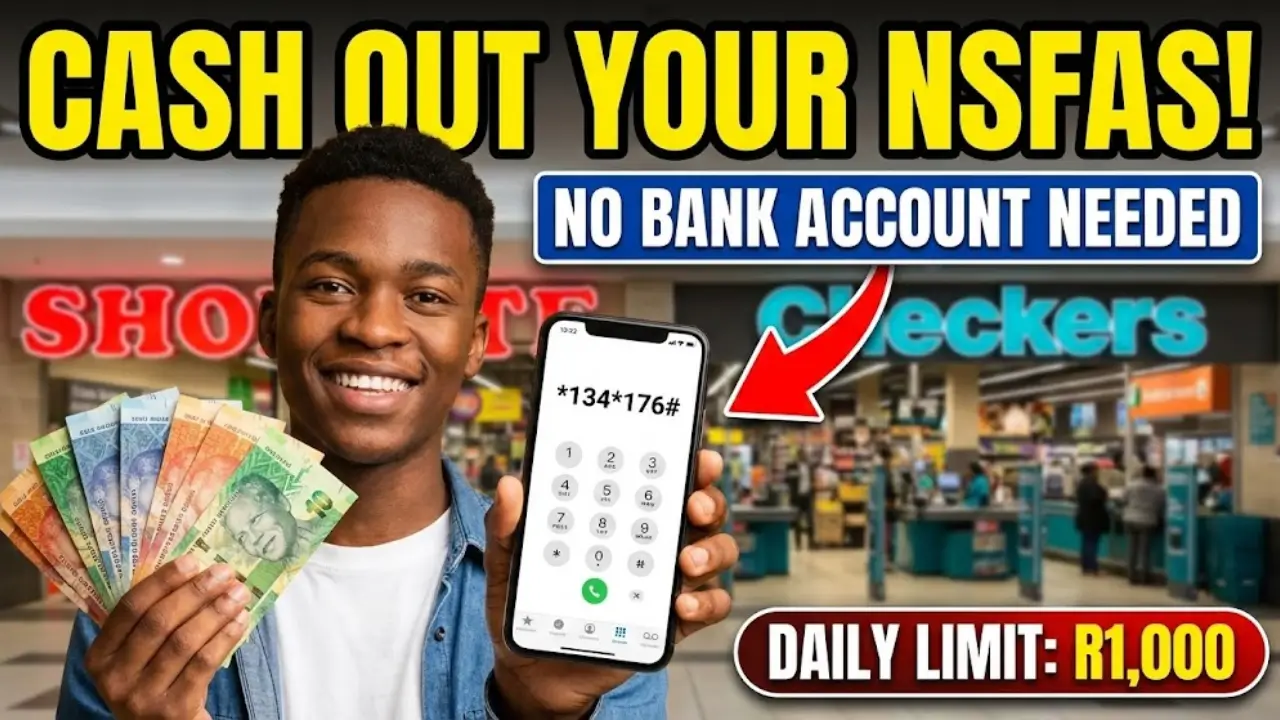
The NSFAS Wallet is a digital platform that allows South African students to access their student allowance without needing a traditional bank account. Students can generate digital vouchers through their registered mobile phones and redeem them for cash at approved stores across the country.
Purpose and Benefits of NSFAS Wallet
- Accessible on basic mobile phones, no smartphone required.
- Works without internet or data.
- Fast and secure access to your allowance.
Difference from Traditional Bank Accounts
Unlike ATMs or standard bank accounts, NSFAS Wallet does not require a physical card. Transactions are handled via USSD codes, making the process simple and convenient.
Quick Withdrawal Method from NSFAS Wallet
Step 1: Dial the USSD Code
Pick up your registered mobile phone and dial 134176#. Some networks may use 120176#. This connects you to your NSFAS Wallet account.
Step 2: Enter Your Password
Input the PIN sent via SMS when you first activated your account. Accuracy is essential to avoid lockouts.
Step 3: Select Cash Voucher
From the menu, select the option labeled Cash Voucher or Withdraw, typically option 1 or 3 depending on the system version.
Step 4: Specify Withdrawal Amount
Enter the amount you want to withdraw. Only request what you need to avoid leaving unused funds tied up in vouchers.
Step 5: Receive Voucher Code
You will receive an SMS with a unique voucher code. Save this code immediately for use at stores.
Step 6: Visit a Participating Store
Approved retailers include Shoprite, Checkers, Pick n Pay, USAVE, SPAR, and Boxer. Inform the cashier that you want to withdraw from NSFAS Wallet.
Step 7: Collect Your Cash
Provide your voucher code to the cashier. The amount will be verified and handed to you as cash. Keep the receipt for your records.
You can also read: NSFAS Payment Dates: Student Check 2026 Details
Participating Stores
| Store | Notes |
|---|---|
| Shoprite | All major branches |
| Checkers | All major branches |
| Pick n Pay | All major branches |
| USAVE | Selected branches |
| SPAR | Selected branches |
| Boxer | Selected branches |
Withdrawal Limits
- Daily limit: R1,000
- Withdrawals above this require multiple days
- Limit resets at midnight
eZaga Platform Alternative
Students using eZaga can dial 1347772# or use the mobile app to generate vouchers. Participating stores remain largely the same.
NSFAS Wallet vs NSFAS Mastercard
| System | Withdrawal Method |
|---|---|
| NSFAS Wallet | Digital voucher, USSD code |
| NSFAS Mastercard | ATM or POS using physical card |
Common Withdrawal Problems
- USSD code not working → try alternative
- Forgotten password → call NSFAS 08000 67327
- Voucher rejected → check store participation
- Insufficient funds → verify balance
- Daily limit reached → try next day
Security Tips to Protect Your Money
- Never share your PIN.
- Confirm communications are official.
- Use only official USSD codes.
- Keep voucher codes private.
- Monitor your balance regularly.
- Shield your phone when creating vouchers in public.
Efficient Withdrawal Management
- Withdraw weekly, not daily.
- Visit stores during off-peak hours.
- Only withdraw what’s needed for immediate expenses.
- Track unused vouchers.
- Coordinate withdrawals with friends for support.
Direct Payments Without Cash Withdrawal
- Use vouchers to pay directly at stores.
- Reduces impulse spending.
- Provides a digital record for budgeting.
- Eliminates extra trips for cash.
What to Do If You’re Stuck
- Try the alternative USSD code.
- Visit your campus financial aid office.
- Call NSFAS 08000 67327 with your ID.
- Use the myNSFAS portal to check account status.
- Ask store managers for assistance.
Monthly Withdrawal Planning
- Week 1: Moderate withdrawal for initial expenses
- Week 2: Minimal withdrawal
- Week 3: Assess remaining balance
- Week 4: Withdraw essentials only
Understanding Transaction Times
- Voucher codes appear instantly.
- Amount deducted immediately after redemption.
- Unused vouchers hold funds until redeemed.
- Deposits update within a few hours, sometimes delayed during peak periods.
Make the Most of Store Visits
- Compare prices while at the store.
- Withdraw slightly more if returning soon, but balance safety concerns.
- Ask for student discounts.
- Combine shopping and withdrawals to save time.
Financial Independence for Students
- Teaches budgeting and money management.
- Develops discipline for monthly spending.
- Helps avoid impulsive purchases.
- Prepares students for post-graduation financial management.
You can also read: NSFAS Announces Nearly 900,000 Funding Applications
Conclusion
Withdrawing cash from your NSFAS Wallet is straightforward: dial 134176#, generate a voucher, and redeem it at participating stores. Remember the daily limit of R1,000, protect your password, and plan withdrawals wisely. With these strategies, you can manage your student finances confidently throughout the month.

