NSFAS 2026 Documents Checklist Step by Step
Getting your NSFAS 2026 documents ready is the first step toward a successful application. Many students are rejected each year because their applications are incomplete or unclear. This guide will help you prepare the correct documents, avoid common mistakes, and submit your application smoothly.
Core Documents Required for All Applicants
Every student applying for NSFAS in 2026 must have the following core documents:
- South African ID or Birth Certificate: Confirms your citizenship.
- Parent or Guardian ID: Verifies household members and support.
- Proof of Income: Recent payslips or affidavit (not older than 3 months).
- Consent Form: Grants NSFAS permission to verify your information (downloadable from NSFAS website).
Tips:
- Ensure documents are clear and readable.
- Keep copies for your records in case NSFAS requests them later.
You can also read: NSFAS Declaration Form 2026 (Step-By-Step) Full Details
Special Cases – Extra Documents
Depending on your situation, you may need additional documents:
- SASSA Grant Recipient: Upload proof of your grant; income documents are not required.
- Disability: Upload the Disability Annexure A form.
- No Family Income: Provide a sworn affidavit or commissioner of oaths letter explaining your situation.
- Orphaned Students: Upload death certificates of both parents or affidavit if certificates are not available.
- Parents Married or Divorced: Upload marriage certificate or divorce decree.
Preparing these extra documents helps avoid delays and ensures your application is complete.
Rules for NSFAS 2026 Documents
To ensure a smooth application process, follow these rules:
- Documents must be clear and legible.
- Must be certified and not older than 3 months.
- Save files in PDF or JPG format before uploading.
- Do not crop or blur documents.
- Keep copies for your personal records.
Following these rules minimizes the chance of rejection.
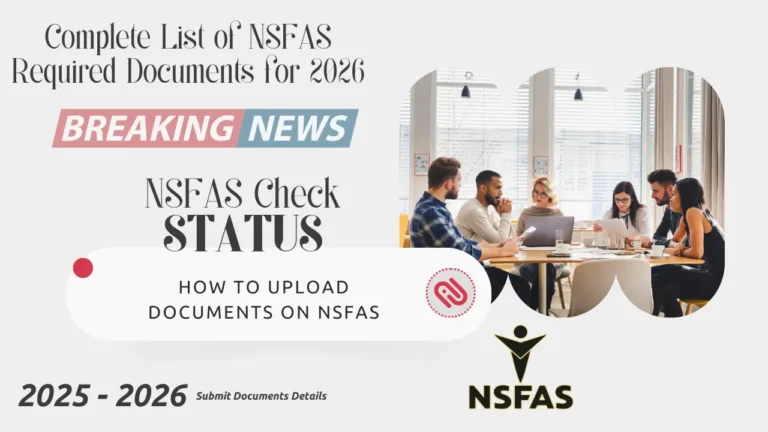
How to Upload Documents on myNSFAS
Uploading your documents correctly is crucial. Follow these steps:
- Log into your myNSFAS account.
- Select Upload Documents.
- Attach each file one by one.
- Double-check that each document is clear and correct.
- Submit your application and save the confirmation page.
Proper uploading ensures your documents are received and verified quickly.
You can also read: How to Check NSFAS Status Check Login Requirements Details
Common Document Problems and Solutions
Here are issues students often face and how to fix them:
- Expired or old documents: Only use documents less than 3 months old.
- Wrong consent form: Always upload the latest form from the NSFAS website.
- Blurry uploads: Use clear scans or high-quality photos.
- Mismatched information: Make sure your ID and account details match exactly.
NSFAS 2026 Documents by Type
| Document Type | Requirement / Special Case |
|---|---|
| South African ID / Birth Cert | All applicants |
| Parent / Guardian ID | All applicants |
| Proof of income | Parents / guardians |
| Consent form | All applicants |
| SASSA grant proof | SASSA recipients |
| Disability Annexure A | Students with disabilities |
| Affidavit for no income | No family income |
| Death certificates / affidavit | Orphaned students |
| Marriage / Divorce certificate | Parents married or divorced |
This table helps students quickly identify which documents are needed for their specific case.
Conclusion
Preparing your documents is the key to a successful NSFAS 2026 application. Even with automatic verification through SASSA, SARS, and Home Affairs, your documents must be correct, clear, and complete.
- Start with your ID, proof of income, and consent form.
- Include extra documents if you fall under a special case.
- Apply early to allow time to fix any mistakes.
Following this checklist will increase your chances of approval and make the application process much smoother.
You can also read: How to Check Nsfas 2026 Funding Outcomes Date