NSFAS Login Portal Status Check 2026 Step by Step
The NSFAS login portal is one of the most important online platforms for students in South Africa. If you are studying or planning to study at a university or TVET college, NSFAS is often the key that makes education affordable. In 2026, the myNSFAS portal continues to be the central place where students manage their funding journey from start to finish.
Many students think NSFAS is only about applying for funding. In reality, logging in regularly is just as important as applying. Your application status, funding decisions, document requests, and payment updates all live inside your myNSFAS account. Missing a login can mean missing important information that affects your studies.
Understanding the myNSFAS Login Portal
The myNSFAS portal is an online self-service system created by the National Student Financial Aid Scheme. It allows students to apply for funding, track application progress, upload documents, and monitor allowances without visiting an office.
All South African citizens who meet NSFAS requirements can use this portal. It is designed for both university and TVET college students, making it a single access point for financial aid management. The system is available 24/7, although it may slow down during peak periods such as January and February.
Why NSFAS Login Matters for Students
Logging into NSFAS is not optional if you rely on financial aid. Your login is how NSFAS communicates with you officially. Any request for documents, changes in funding status, or approval messages appear inside your account first.
If you do not log in regularly, you may:
- Miss deadlines for uploading documents
- Fail to sign your bursary agreement on time
- Experience delayed or cancelled payments
- Lose track of your funding status
Think of your myNSFAS account as your digital funding file. If you ignore it, important updates pile up and problems grow silently.
Key Features Available After NSFAS Login
Once logged in, the NSFAS dashboard gives you access to several important tools. Everything is organized into sections, making it easier to manage your funding without confusion.
Key features include:
- Application status tracking from submission to final approval
- Secure document upload and verification
- Viewing tuition, accommodation, and allowance payments
- Receiving official NSFAS messages and alerts
- Updating personal and banking details
These features help you stay informed and in control of your financial aid journey throughout the academic year.
You can also read: NSFAS Funding Status Check 2026
How to Register for a myNSFAS Account
Before you can log in, you must register for a myNSFAS account. Registration only needs to be done once, and the same account is used throughout your studies.
You will need:
- A valid South African ID number
- An active email address
- A working mobile number
- Personal details exactly as shown on your ID
The registration process is simple. Visit the NSFAS website, click on the myNSFAS tab, choose “Register,” and follow the instructions. After submitting your details, you will receive an OTP to verify your account. Once verified, your account becomes active and ready for login.
NSFAS Login 2026 Step-by-Step Guide
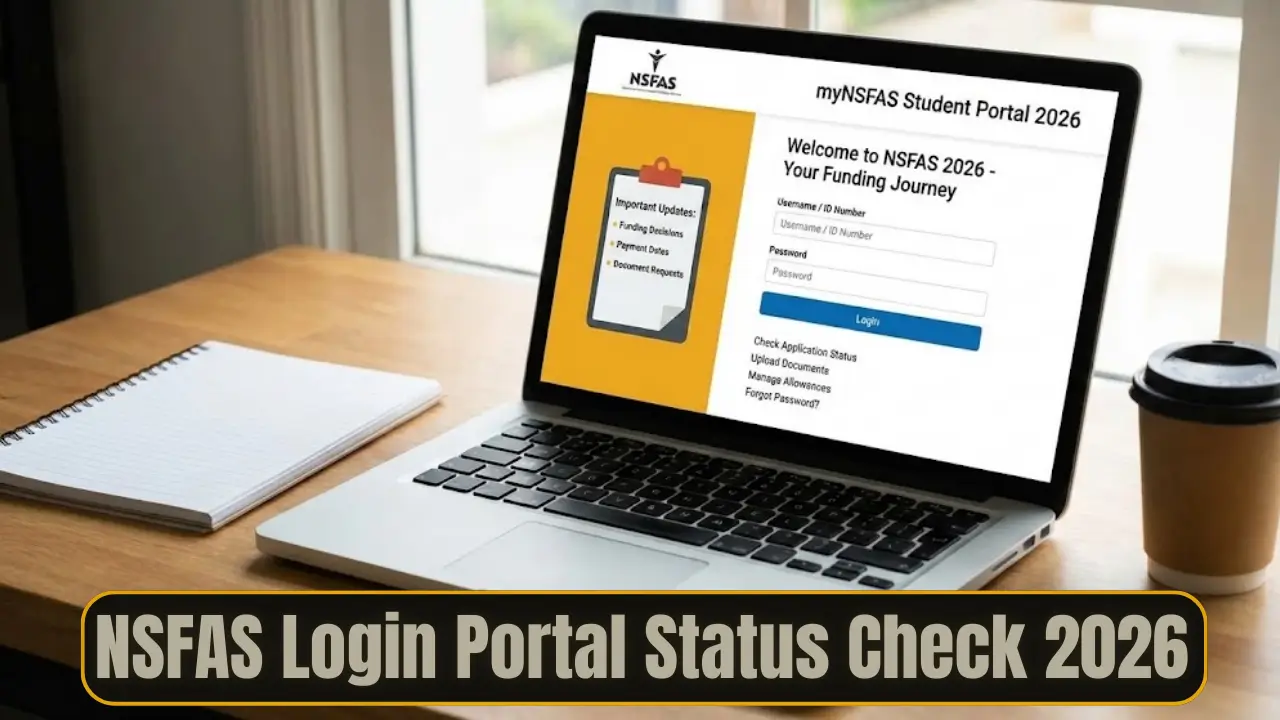
Logging into NSFAS in 2026 follows the same secure process used in previous years, with minor system improvements for speed and safety.
Steps to log in:
- Visit the official NSFAS website
- Click on “myNSFAS Login”
- Enter your registered email address or ID number
- Type your password
- Click “Sign In”
After successful login, you will land on your dashboard. This page shows your name, funding status, and navigation tabs for applications, documents, payments, and messages.
NSFAS Login Status Check Explained
Checking your NSFAS status is one of the main reasons students log in. Your status tells you exactly where your application stands.
Common NSFAS statuses include:
- Application Submitted
- Provisionally Funded
- Awaiting Registration
- Approved
- Unsuccessful
Each status has a specific meaning and may require action from you. For example, “Awaiting Registration” means NSFAS is waiting for confirmation from your institution before releasing funds.
You can also read: NSFAS Eligibility Criteria Announced
How to Reset or Recover NSFAS Login Details
Forgetting your password is common, especially during busy academic periods. NSFAS provides a secure recovery process to help you regain access.
To reset your password:
- Click “Forgot Password” on the login page
- Enter your ID number or email address
- Verify using OTP sent via SMS or email
- Create a new strong password
If you forget your username, you can recover it using your South African ID number. Always complete the reset process fully to avoid locking your account.
Uploading Documents After NSFAS Login
NSFAS often requests documents to verify eligibility. Uploading these documents correctly helps avoid delays or rejections.
Common documents include:
- Certified copy of ID
- Proof of household income
- Signed consent form
- Proof of registration
- Disability Annexure A if applicable
Documents should be clear, certified, and uploaded in PDF or JPG format. Always double-check that each file is complete before submitting.
Updating Personal and Banking Details
Keeping your details up to date is critical for receiving payments. Incorrect banking information is one of the biggest causes of delayed allowances.
After logging in:
- Go to the Profile section
- Update your contact or banking details
- Verify changes using OTP
Your bank account must match your ID details exactly. Even small errors can cause payment rejection.
NSFAS Login for TVET and University Students
While the login process is the same, TVET and university students use the portal slightly differently. TVET students often log in more frequently because registrations and allowances are managed per trimester. University students usually update details once per academic year but still track monthly payments.
NSFAS Payment Partners Login Overview
NSFAS works with payment partners to distribute allowances. After funding approval, you may need to log into a partner platform.
| Payment Partner | Purpose | What You Can View |
|---|---|---|
| Coinvest NSFAS | Wallet-based allowances | Balance and transactions |
| Fundi | Books and accommodation | Vouchers and payments |
| Tenet | Allowance distribution | Receipts and card status |
Each platform uses similar login details linked to your NSFAS account.
NSFAS Login Common Problems and Solutions
Students sometimes face login errors due to system traffic or technical issues.
Common problems include:
- Invalid credentials
- Account locked after multiple attempts
- Session expired due to inactivity
- Portal under maintenance
Most issues can be fixed by resetting your password, clearing browser cache, or trying again during off-peak hours.
NSFAS Login Without Internet
If you do not have internet access, NSFAS still offers alternatives. You can check your status using WhatsApp or a USSD code on a basic phone. These options provide quick updates without needing a data connection.
You can also read: NSFAS will Fund Over 1 Million Students
NSFAS Login Security Tips for 2026
Your NSFAS account contains sensitive personal information. Protecting it is your responsibility.
Important security tips:
- Never share your password or OTP
- Log out after each session
- Avoid public computers when possible
- Only use the official NSFAS website
Changing your password regularly adds an extra layer of protection.
Conclusion
The NSFAS Login Portal Status Check 2026 is more than just a sign-in process. It is your gateway to education funding, communication, and financial stability during your studies. By logging in regularly, keeping your details updated, and responding quickly to requests, you protect your funding and avoid unnecessary stress. Treat your myNSFAS account as a priority, and it will support you throughout your academic journey.